
695
Notable Findings
- An ergonomic home office can help reduce physical discomfort and support better posture during long work hours.
- Positioning your monitor at eye level and keeping your feet flat on the floor promotes healthier body alignment.
- Good lighting reduces eye strain and makes it easier to stay focused throughout the day.
- You don't need expensive equipment; a few budget-friendly upgrades can significantly improve comfort and productivity.
- Taking short movement breaks every 30–60 minutes is just as important as having the right desk and chair.
Where you work at home can have a real impact on your comfort and productivity. A well-planned workspace doesn't have to be large or expensive. Even a few thoughtful changes can make it easier to stay focused, reduce physical strain, and create a more enjoyable workday.
This home office setup guide walks you through simple, practical ways to create a workspace that fits your needs. From choosing the right desk and chair to improving lighting and reducing clutter, you'll find budget-friendly ideas that help you work more comfortably and efficiently.
Why a Good Home Office Setup Matters
Do you know that your workspace affects your mood and health?
If your chair is uncomfortable, your back hurts. If lighting is not good, your eyes get tired. A proper work from home office helps you:
- Sit comfortably
- Focus better
- Work faster
- Less stressed
This is why following a proper home office setup guide is important.
Ergonomic Essentials Checklist
An ergonomic home office simply means that your body feels supported. You don’t need to buy expensive things. Just follow these basics:
Chair
- Keep your back straight
- Place your feet flat on the floor
- Add a cushion for comfort if required
Desk
- It should not be too high
- It should not be too low
- Your elbows should be at 90 degrees
Screen
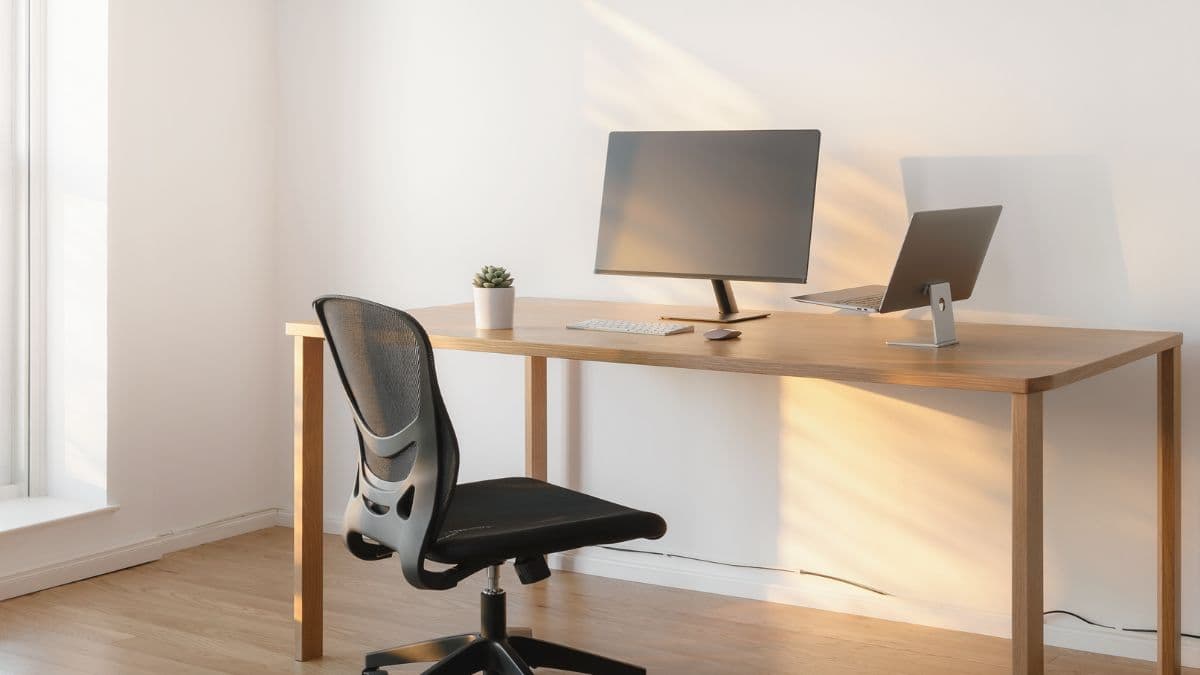
- Set it to eye level
- Set it roughly one arm away
Keyboard and mouse
- Keep them close
- Relax your shoulders
Breaks
- Look away every 20 minutes
- Stretch your body
Many people ignore posture in the beginning. But over time, it can create serious problems. Neck pain, back pain, and wrist pain are very common when your work setup is not correct. According to researcher Alan Hedge from Cornell University, poor posture and bad working setup are one of the main causes of workplace injuries. His studies show that proper ergonomic modifications can help reduce discomfort. He says that it improves work productivity as well.
A proper ergonomic home office helps you avoid these issues. You feel less tired. It also improves your focus. Your body doesn’t feel under stress. You should also adjust your chair height according to your desk. Your knees should not feel pressured. Your shoulders should feel relaxed. These small habits make a huge difference over time. Every home office setup guide should start with these basics.
Budget Home Office (3 Levels)
The good news is that you can build a budget home office at any budget. A good home office setup can change your whole day.
Under $200
This is for beginners.
You can use:
- Any table
- A simple chair
- Books as a laptop stand
- Basic mouse and a keyboard
- Small lamp
The most important that people ignore is sitting properly. That matters more than any fancy items. Even this simple setup perfectly fits a home office setup guide.
$200-$500 (Balanced Setup)
This is where things get better and comfortable. You can add:
- Ergonomic chair
- Proper desk
- One monitor
- Better lighting
- Organizer
This setup is ideal for working from home daily. Your remote work setup will feel more comfortable and convenient.
$1000 + (Advanced Setup)
This setup is perfect for someone who has long-term work. You can include:
- Better quality chair
- Standing desk
- Dual monitors
- Noise-cancelling headphones
Choosing the right budget depends mostly on how often you work. For instance, if you work occasionally, even a basic setup is good enough. But if you have to work daily, it is always a better idea to invest a little more.
It is not about spending less but more about spending wisely. You should focus on items that improve comfort first. You can take an example of how a good chair is more important than just decoration. A proper desk is always useful than unnecessary gadgets. Hence, following a practical home office setup guide helps you make better decisions without wasting a lot of money.
Lighting Optimization
Many people ignore proper lighting. It is one of the most important things to make you feel comfortable working for long hours. Bad lighting causes eye strain and headaches.
Natural Light
- You can sit near a window
- Do not face direct sunlight
Desk Light
- You can opt for soft lighting
- It should not be too bright
Room Light
- Always keep your room well-lit
- Avoid working in dark corners
Lighting plays an important role when it comes to energy levels. Bright and balanced lighting can help you stay active. While dim lighting can make you feel sleepy. Try to keep your screen brightness balanced. It should align with your room light. A study done by Dr. Mariana Figueiro from the Lighting Research centre found that proper lighting enhances alertness as well as reduces eye strain. She also stated that balanced lighting maintains better energy levels during work.
Good lighting also improves your mood. A well-lit room feels more open and positive. This can help you stay productive for longer hours. Hence, it is very important to remember that a good lighting is an important part of home office setup guide.
Tech Recommendations
Your tools should make things easier, not hold you back.
Basic Tech
- Laptop or desktop
- Good internet connection
Helpful Add-ons
- Extra monitor
- Keyboard and mouse
- Headphones
Extra Tips
- Use an SSD for faster performance
- Keep backup power if needed
You do not need the latest or expensive devices. What really matters is reliability. Your system shouldn’t slow you down during important work. A simple and smooth system is good enough for most ongoing tasks. You should always keep your software updated and avoid installing unnecessary apps. Hence, a clean and proper remote work setup helps save time and reduces stress.
Organization Systems
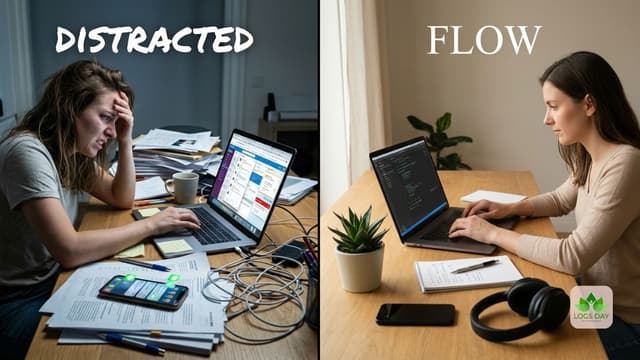
A simple, well-organized workspace is essential. A cluttered desk makes it harder to focus and stay productive.
Keep it simple
- Only keep what you use or need
- Remove unnecessary items
Storage
- Use handy boxes or drawers
- Keep things in place
Cable Management
- Secure wires together
- Keep them hidden
Digital Clean-up
- Organize files
- Delete unused files or items
These simple and minimal steps improve your home office ideas. Research by Princeton University Neuroscience Institute says that clutter reduces your ability to focus. When your desk is messy, your thoughts can feel scattered. Simple well-organized space can improve your daily work flow. It helps you create more comfortable and productive workspace.
Also read: Organizing Hacks Professional Designers Swear By
Background for Video Calls
People often notice your background during video calls. Keep it very neat and simple.
What To Do
- Clean the space properly
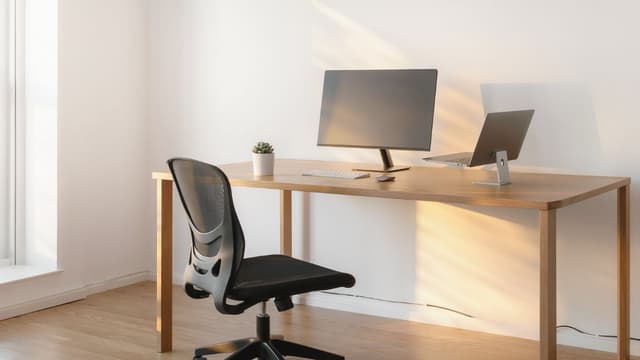
- Use a plain wall
- Add a plant or book
Lighting
- Light should always be in front of you
- Avoid light behind you
Camera
- Keep it at eye level
Your background plays a crucial role when it comes to your working style. You do not need expensive decorations. Even a plain wall with proper lighting can look professional. This really improves your remote work setup. It also enhances productivity and your confidence level during calls.
Productivity Zones
A clear space helps your brain focus. Organize your area into small zones.
Work Zone
- Your desk
- No distractions
Storage Zone
- Files and supplies only
Break Zone
- A small comfortable chair or minimal corner
Creative Zone (optional)
- For thinking or planning
These zones help your brain understand what to do. When you sit in your work zone, your mind naturally focuses on work. When you move away, your mind relaxes. This separation is really very important especially when you work from home.
These simple tips are really helpful in the long run. It gives you the right space to work, plan and think. These zones are smart home office ideas that can uplift your mood and help you stay focused.
Also read: Your Home Isn’t Messy – It’s Poorly Organized
Small Space Home Office Ideas
Not everyone has a big space to create a desired setup. And, that’s fine. You can still design a space that works perfectly as a work from home office.
You can try this
- Use a corner
- Wall-mounted desk
- Foldable table
- Vertical shelves
Working in a small space requires smart planning. You should focus on building space that feels convenient. Keep your setup minimal. Use only what you need daily. Nothing fancy or expensive. This makes your space feel bigger as well as less stressful. A proper small space home office can be just as effective when designed properly. You can set up even small areas by following a home office setup guide.
Also read: Small Space Renovation Ideas That Will Transform Your Home Instantly
Simple Home Office Ideas That Work
You don’t need expensive or complicated designs. Here are some easy to follow home office ideas:
- Add a plant
- Use warm lighting
- Keep colors simple
- Keep desk well-organized
Simple ideas like these are always better. They are easy to follow. You don’t need any extraordinary items to build a proper work space. Minimal spaces always feel better. It helps you work more and reduce distractions. A clean setup also makes it easier to manage your daily tasks.
Common Mistakes to Avoid
Many people make these mistakes:
- Using bad or uncomfortable chairs
- Poor lighting
- Excess clutter
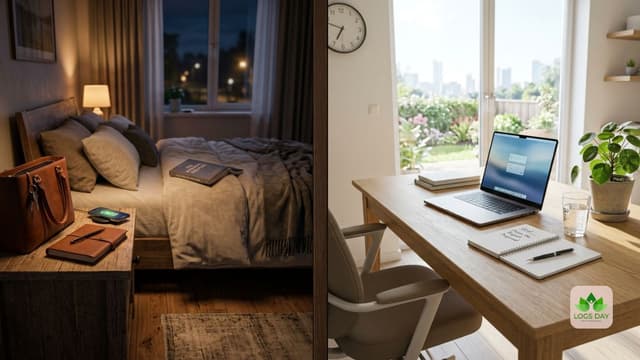
- Working from bed
- Not taking breaks
Avoiding these can really help improve your home office setup. Make small changes and notice the difference.
How To Improve Step by Step
You don’t need to buy everything at one go. Start small.
Step 1: Correct your sitting posture
Step 2: Improve lighting
Step 3: Organize your working space
Step 4: Add better tools gradually
These minor mistakes may look small. But they can create big problems later. Ignoring them now can create health issues. It can also affect your productivity. Fixing these issues early can help you in the long run. This is really the best way to build a budget home office. It won’t cost a lot of money. You will still get the benefit of a clean and useful setup.
Daily Habits for Better Work
A good setup really helps. But often people ignore the importance of habit.
- Start work at the same time
- Take short breaks regularly
- Drink water throughout the day
- End work on time
The right environment works better when you have good habits. They help you stay focused and consistent. Small routines can make a big difference over time.
Closing Thoughts
A perfect setup is built step by step. It is not just about buying expensive items. You don’t need to rush. Just start with basics. It is about comfort and smart choices. This home office setup guide explains how to build a space that works for you. Your home office setup should support your daily work. It should feel easy, clean, and most importantly comfortable.
In the end, a well-planned setup helps you stay focused and productive. It helps you work better every single day.
If this guide helped you, check out other interesting topics related to wellness, personal development, and lifestyle only on Logsday – your reliable and trusted guide in building a healthy life.
Sources
- https://www.benq.com/en-ap/knowledge-center/knowledge/home-office-setup-guide.html
- https://www.minimaldesksetups.com/the-ultimate-home-office-setup-guide/
- https://www.merryfair.com/latest_updates/blog/ergonomic-home-office-setup-guide/
- https://karo.co.za/knowledge-center/home-office-setup/?srsltid=AfmBOortMYdZk7pzRLa4fFPpADoA6m7ViQ5dGl08upyeAqPLPa6GXuek
- https://resources.owllabs.com/blog/home-office-setup
- https://www.pepperfry.com/blog/the-ultimate-guide-to-home-office-setup